
English | Italiano
Overview · Pro edition · Compare editions · User guide

Turn emails into structured Excel data. EgoMailExtractor reads your mailbox, identifies relevant messages and extracts useful information using configurable rules.
From repeated emails to useful data
Payments, bookings, orders, invoices, confirmations and notifications often arrive by email. EgoMailExtractor automates the reading and transcription process: it selects messages using your configured criteria, applies extraction rules and updates a consolidated Excel workbook.
How it works
Choose an IMAP mailbox, activate an extraction profile and run the extraction. The profile identifies email types and applies the relevant rules. Each extracted field becomes an Excel column; reconciliation keys can combine information about the same event from different messages.
See EgoMailExtractor in action
The demonstration video and the screenshots below show the Italian interface.
Example: extracting PayPal notifications
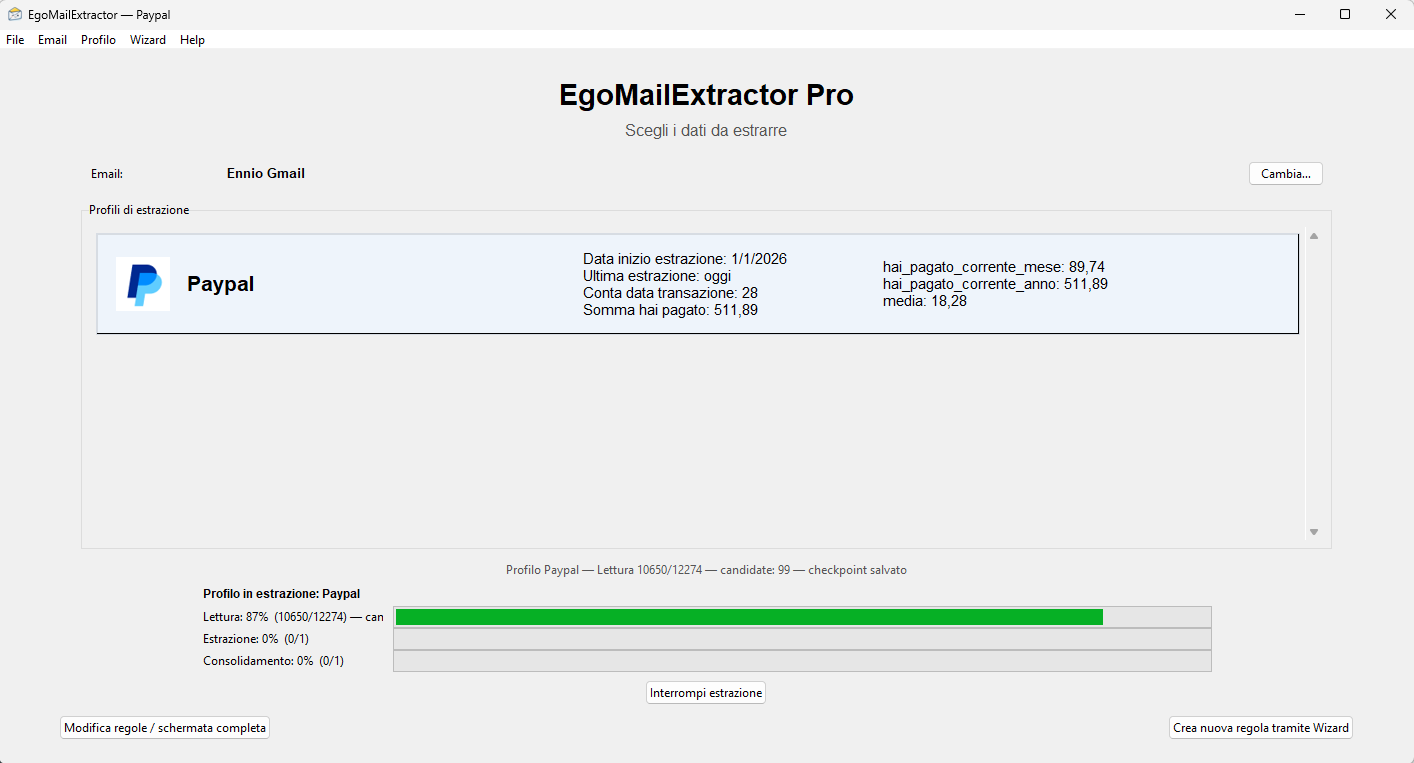
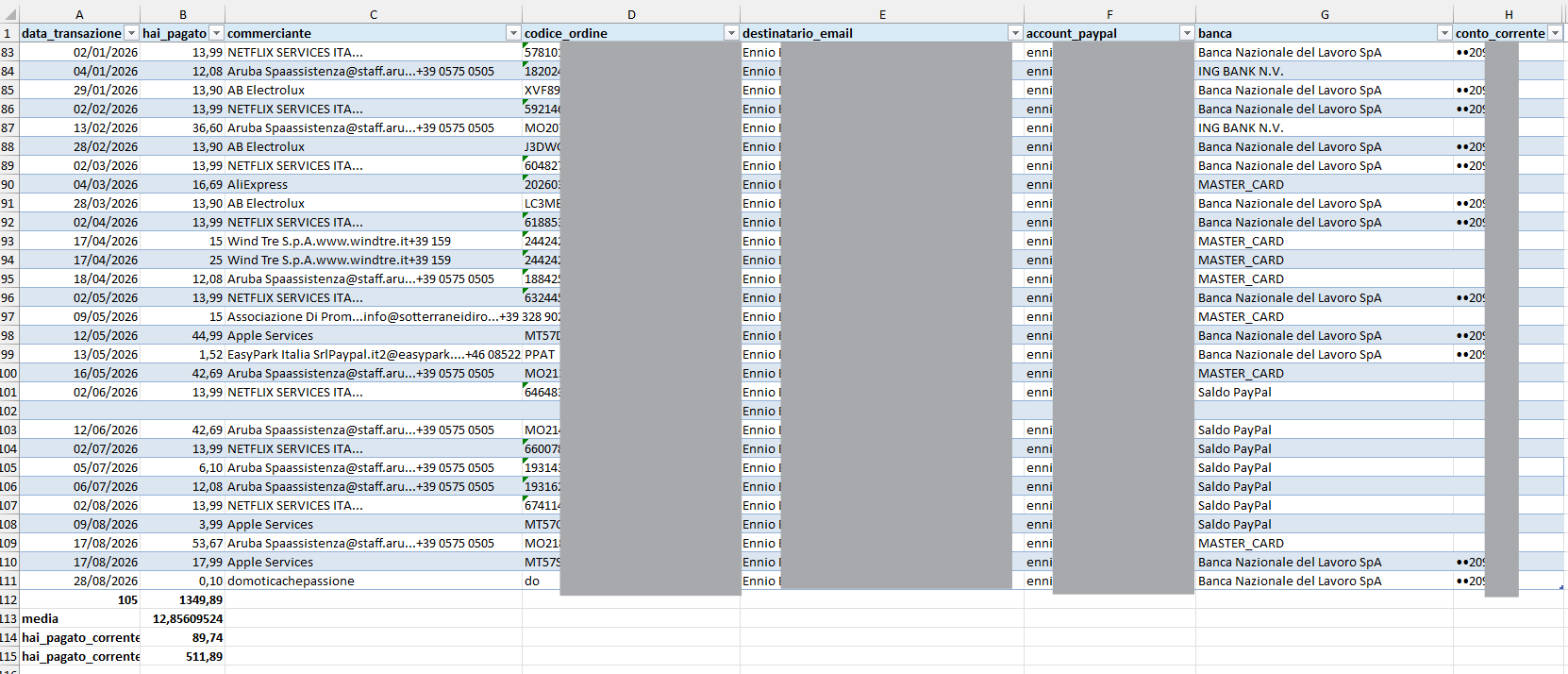
The example below shows reading PayPal messages, extracting their data and organising the results in Excel. Rules must be configured for the format and language of the emails you receive.
Summaries and pivot tables
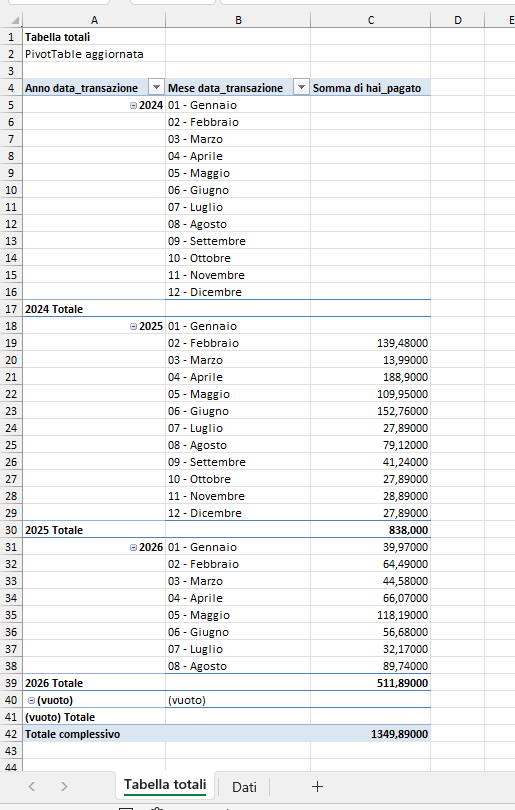
The Pro edition provides configurable totals and pivot tables for summarising extracted records.
Choose your edition
The Community/Open Source edition is available on GitHub under the Apache License 2.0. It supports one email profile and one extraction profile, with manual rule editing. Pro adds multiple profiles, a guided Wizard and additional tools for working with several extraction scenarios.